




You can change your password.
You can replace a credit card.
You can get a new phone.
You can even change your email address.
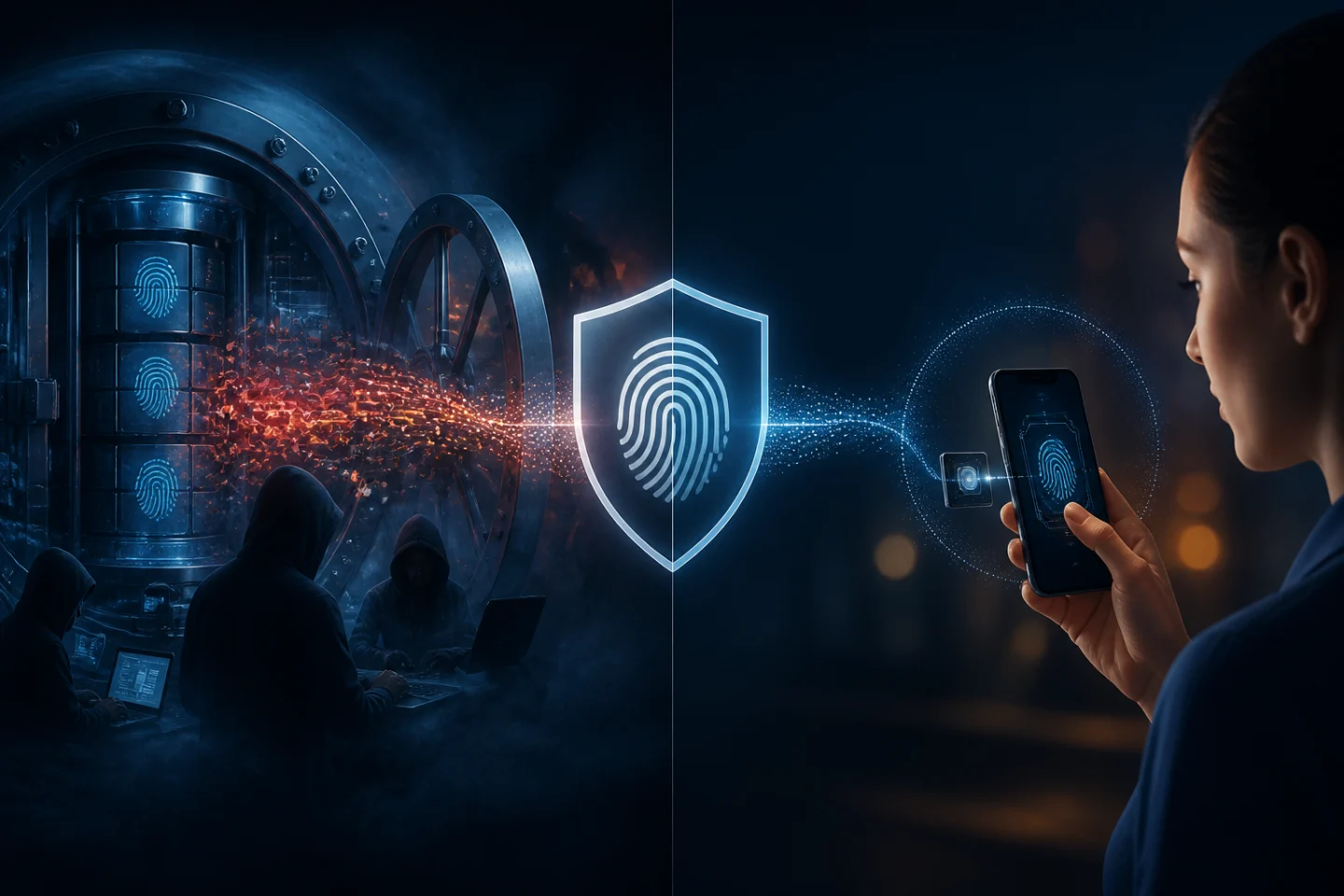
But what happens if someone steals your fingerprint?
You can't exactly order a new one.
That's one of the most important questions surrounding biometric authentication—and it's a legitimate concern.
Fingerprint recognition and facial recognition can provide a fast, convenient way to verify identity without requiring users to remember another password or enter another one-time code. But biometric information is fundamentally different from traditional credentials.
Your password is something you know.
Your phone or security key is something you have.
Your biometric is something you are.
That distinction means biometric security needs to be approached differently.
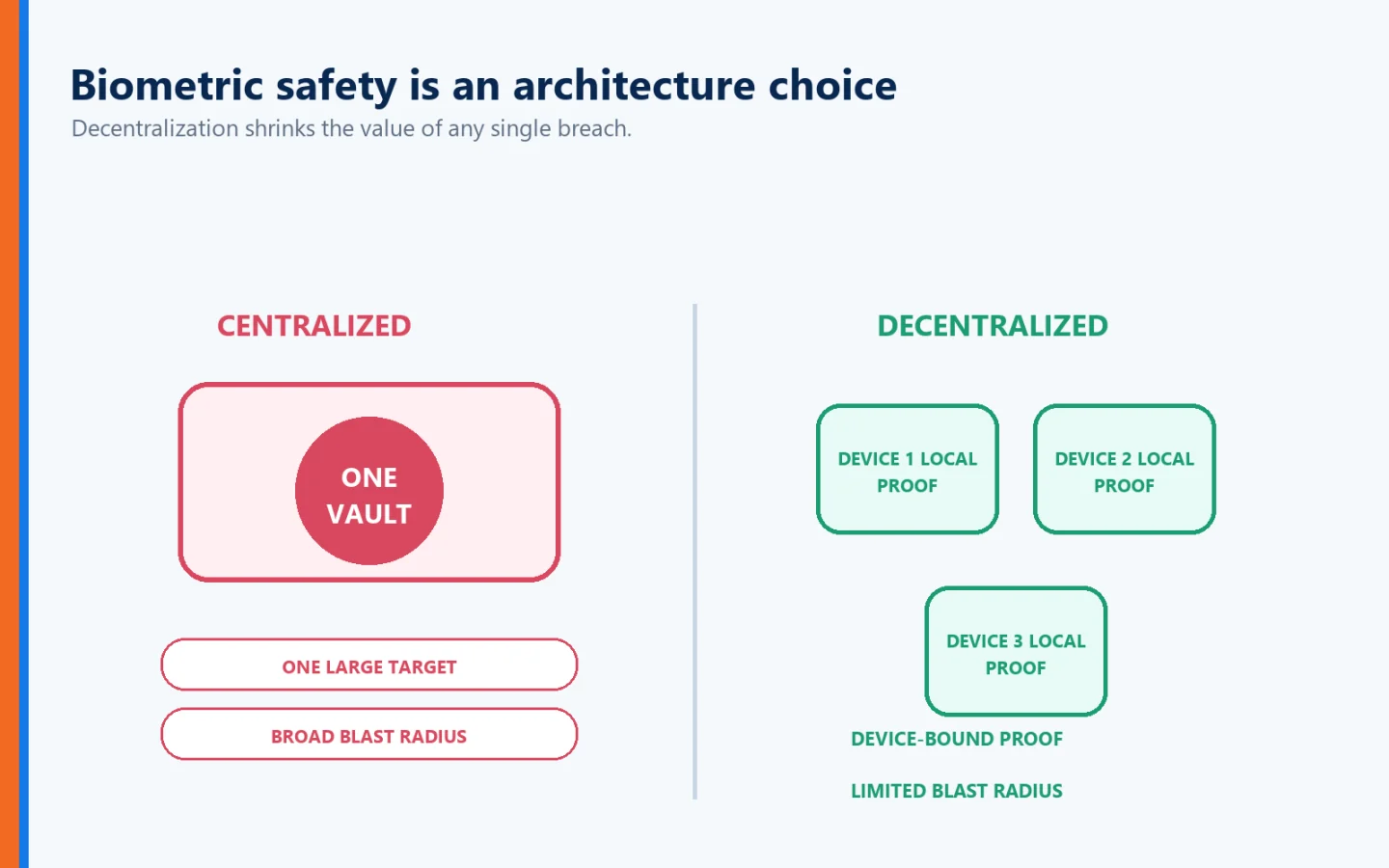
The good news is that properly designed biometric authentication does not require organizations to create enormous centralized databases containing everyone's fingerprints and faces.
In fact, one of the most important questions to ask when evaluating biometric authentication isn't simply:
"Does this system use biometrics?"
It's:
"Where is my biometric information stored, and who has access to it?"
That question can make an enormous difference.
First, What Exactly Is Biometric Data?
Biometrics use measurable physical or behavioral characteristics to help establish identity.
Common examples include:
Fingerprints
Facial characteristics
Iris patterns
Voice patterns
Palm prints
Behavioral characteristics
NIST defines biometrics as automated recognition based on biological or behavioral characteristics and specifically notes fingerprints, facial features, iris and retina patterns, voice prints, and other characteristics.
But there's an important distinction between your actual physical characteristic and the information an authentication system uses to recognize it.
A fingerprint sensor doesn't necessarily need to store a photograph of your finger and send that photograph somewhere every time you authenticate.
Modern biometric systems can extract characteristics and create a mathematical representation—or biometric template—that can be used for comparison.
That brings us to the real security issue.
Where is that information stored and where is the comparison performed?
Why Stolen Biometric Data Is Different From a Stolen Password
Suppose a criminal steals your password.
That's bad.
But once the compromise is discovered, you can:
Invalidate password → Create new password → Continue
Now imagine a database containing biometric information is compromised.
You cannot simply tell your body:
"Fingerprint123 has been compromised. Generate Fingerprint124."
That's why NIST explicitly warns that biometric characteristics are not secrets. Facial images can potentially be captured with cameras, fingerprints can be obtained from objects people touch, and other biometric characteristics may similarly be observable. NIST also notes the privacy concerns associated with biometric information—particularly when it is stored for centralized verification.
This leads to an important cybersecurity principle:
Biometrics should not be treated like passwords.
And they shouldn't necessarily be stored like passwords either.
The Biggest Question: Is Your Biometric Stored Centrally?
Imagine a company with 100,000 employees.
The company decides to use fingerprints for authentication.
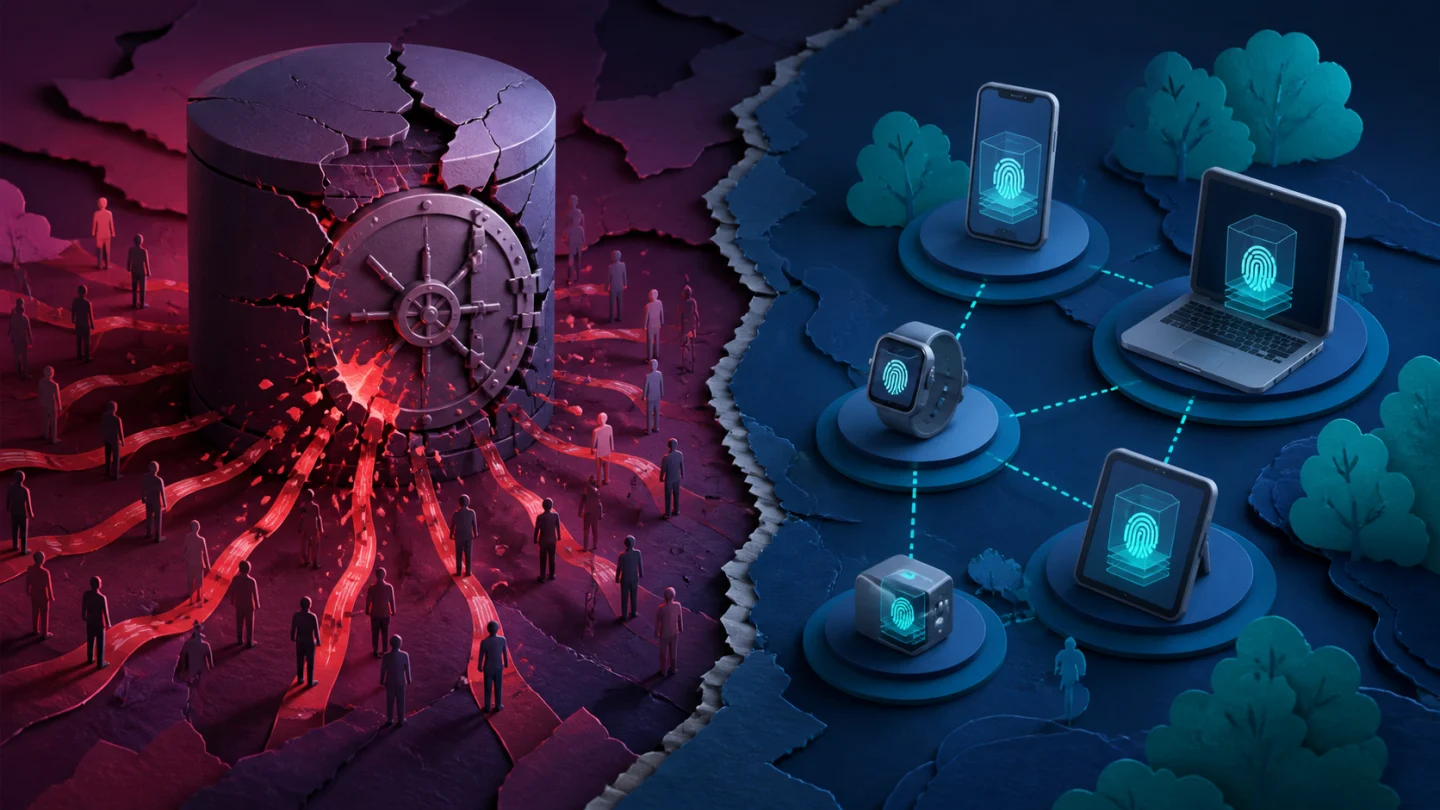
One architecture might create a central database containing biometric information for all 100,000 employees.
Every time someone authenticates, biometric information is sent to a central system for comparison.
Now think like an attacker.
What does that database represent?
Potentially:
100,000 valuable biometric identities concentrated in one place.
Cybercriminals love centralized repositories of valuable information.
Why?
Because one successful compromise can potentially produce an enormous return.
We've seen the same principle with:
Password databases
Customer records
Credit card information
Healthcare records
Personally identifiable information
The more valuable information concentrated in one location, the more attractive that location becomes.
Biometrics deserve even greater consideration because of the difficulty of replacing them after compromise.
Decentralization Changes the Risk
Now imagine a different architecture.
Instead of sending biometric information to a centralized corporate database, biometric verification occurs on the user's trusted device.
Your fingerprint or face is verified locally.
The authentication system receives what it needs to know:
"The authorized user successfully verified."
It doesn't need possession of the biometric itself.
That's a fundamentally different security model.
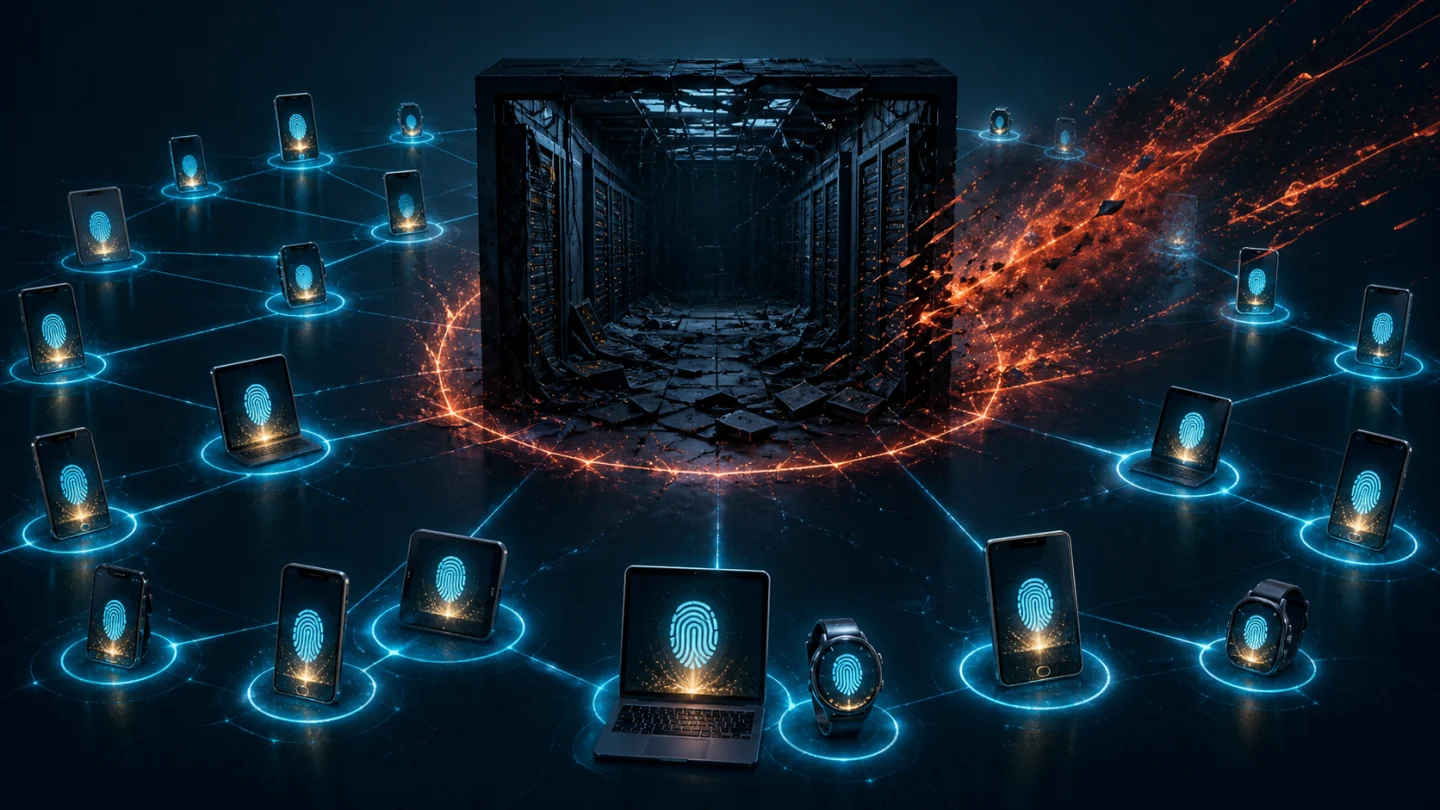
Instead of creating one giant biometric treasure chest containing thousands or millions of identities, sensitive biometric information remains distributed across individual trusted devices.
That's the approach Identité uses.
With Identité, Your Biometric Data Stays on Your Device
Identité utilizes a decentralized authentication architecture designed so that biometric information remains on the user's trusted device.
When you use fingerprint or facial recognition as part of authentication, your biometric data does not need to be transmitted to Identité, your employer, or a centralized Identité biometric repository for matching.
Your biometric data stays on your device.
This is an important distinction.
The authentication process needs to establish that biometric verification succeeded.
It doesn't need to collect everyone's fingerprints.
Think of it this way:
Your device establishes:
"The biometric presented matches the authorized user enrolled on this device."
The authentication system can then use that successful local verification as part of a broader authentication process.
The biometric itself doesn't need to travel around the internet.
Why Local Biometric Verification Is Safer
Keeping biometric information decentralized can provide several security and privacy advantages.
1. No Central Biometric Treasure Chest
If biometric templates aren't collected into one central Identité repository, an attacker cannot compromise that repository and steal everyone's Identité biometric data from it.
That's significant.
Instead of protecting one enormous collection of irreplaceable biometric information, the architecture avoids creating that collection in the first place.
2. Reduced Transmission Exposure
Information that doesn't need to travel between the device and a centralized biometric matching service has fewer opportunities for exposure during that transmission.
3. Greater Privacy
Your employer doesn't need your fingerprint simply because you use your fingerprint to authenticate.
That's an important distinction.
Using a biometric does not have to mean surrendering the biometric.
4. Reduced Consequences of a Centralized Breach
Centralization can turn one breach into a problem affecting enormous numbers of people.
Decentralization reduces that concentration risk.
This is one reason architecture matters just as much as the biometric technology itself.
Biometrics Shouldn't Stand Alone
There's another misconception worth addressing.
Biometrics shouldn't necessarily be treated as the entire authentication system.
NIST's current Digital Identity Guidelines require biometrics, within the scope of those guidelines, to be used as part of multi-factor authentication with a physical authenticator—something you have—rather than as a standalone authentication factor. NIST also requires an alternative non-biometric authentication option and says biometric data should be protected as sensitive personal information.
This aligns with an important security principle:
Don't make one characteristic responsible for the entire trust decision.
A stronger authentication architecture can combine multiple elements.
For example:
Something you are:
Your biometric.Something you have:
Your trusted device.
And with Identité's patented technology:
Mutual authentication:
Verification that the destination is legitimate too.
What Is Full Duplex Authentication®?
This is where Identité's approach goes beyond simply adding fingerprint recognition to a login screen.
Full Duplex Authentication® (FDA) is Identité's patented authentication technology designed around mutual authentication.
Traditional authentication primarily asks:
"Is this the legitimate user?"
Full Duplex Authentication® addresses the other side of the relationship:
"Is this the legitimate application or website?"
Identité describes its technology as challenging not only the user but also the authentication service, creating a two-way authentication relationship designed to defend against phishing and impersonation.
That distinction matters because stealing credentials isn't the only way criminals attack identity.
Sometimes they convince legitimate users to authenticate to illegitimate destinations.
Biometrics Don't Automatically Stop Phishing
Imagine receiving an email that appears to come from your bank.
You click the link.
The website looks perfect.
The logo is right.
The colors are right.
The login screen is right.
You authenticate with your fingerprint.
The biometric may have done an excellent job establishing:
"This is really me."
But there's still another question:
"Is this really my bank?"
This is why authentication architecture must look beyond the user.
A cybercriminal can copy:
Logos
Branding
Website layouts
Login screens
Corporate colors
Domain names that look almost legitimate
But an imposter website cannot simply copy its way through the legitimate destination's side of Full Duplex Authentication®.
The fake site may look legitimate.
It cannot authenticate as legitimate.
What If Someone Copies My Fingerprint?
This is one of the most common concerns surrounding biometrics.
Could someone potentially obtain characteristics of your fingerprint?
Yes—which is one reason NIST says biometric characteristics shouldn't be considered secrets.
But obtaining biometric characteristics should not automatically be equivalent to obtaining everything necessary to authenticate.
That's why modern biometric systems may use technologies such as presentation attack detection, sometimes called liveness detection, to help distinguish a legitimate biometric presentation from attempts to fool the sensor. NIST specifically discusses presentation attack detection as a means of mitigating certain biometric impersonation risks.
More importantly, a well-designed authentication architecture doesn't rely on a copied fingerprint alone.
The attacker may also need:
The appropriate trusted device
The authentication credentials associated with that device
The ability to satisfy the biometric sensor
The correct authentication context
And in a mutual-authentication architecture, the destination must establish trust as well.
The biometric becomes one component of a larger trust relationship—not a magic password attached to your finger.
What About Facial Recognition and Deepfakes?
Artificial intelligence has made this question increasingly relevant.
Generative AI can create highly realistic:
Faces
Videos
Voices
Images
That means biometric systems must increasingly consider presentation and impersonation attacks, not simply whether two images look similar.
Again, architecture matters.
A photograph of your face appearing online should not be treated as equivalent to possession of a cryptographic authentication credential.
Biometric systems need appropriate sensor security, presentation-attack defenses, trusted-device relationships, and additional authentication controls.
This is why NIST describes biometric comparison as probabilistic and specifically notes that false-match rates alone don't account for active impersonation attacks.
What If My Phone Gets Stolen?
That's a different problem from having your biometric stolen.
If your authentication device is lost or stolen, organizations should be able to invalidate that device's relationship with the account.
NIST's current guidance similarly requires mechanisms to promptly invalidate authenticators when loss, theft, or compromise is suspected.
This reinforces another important principle:
Your biometric and your device should not be treated as the same thing.
The biometric helps verify the user.
The registered device helps establish possession.
The authentication architecture establishes the relationship between them.
If the device is compromised, that relationship should be revocable.
Recovery Is Part of Biometric Security
Security systems are often evaluated based on what happens when everything works correctly.
That's not enough.
Phones get:
Lost
Stolen
Broken
Replaced
Forgotten
If biometric authentication makes it impossible for an authorized employee to work when a device disappears, the organization has created a different kind of security problem.
That's why recovery and business continuity need to be designed into the authentication architecture.
Emergency PIN Authentication
Identité provides an Emergency PIN capability that, when permitted by organizational policy, can provide authorized users with a controlled alternative when their normal authentication device is temporarily unavailable.
The Emergency PIN isn't intended to become another everyday password.
It's a continuity mechanism.
The objective is to avoid turning:
"I left my phone at home"
into:
"I can't work today."
Secure Backup & Restore
If the device is permanently lost or replaced, users shouldn't necessarily have to rebuild their authentication environment from scratch.
With PasswordFree® and NoPass™, users can securely back up their authentication profile according to organizational configuration to approved cloud or corporate-network infrastructure.
When a replacement device becomes available, the authentication profile can be restored.
The restore process can be completed in less than two minutes.
That can help reduce:
Employee downtime
Help desk intervention
Re-enrollment
Administrative workload
Business interruption
Authentication security should protect against attackers without locking legitimate users out of their working lives.
What If I Don't Want to Use Biometrics?
That's another legitimate question.
Some people simply aren't comfortable using fingerprints or facial recognition for workplace authentication.
Others may have:
Accessibility requirements
Devices without appropriate sensors
Jobs where biometric readers aren't practical
Workplace restrictions on smartphones
Personal privacy preferences
Authentication architecture should account for those realities.
Identité supports compatible third-party hardware authentication options, including security keys such as YubiKey®, providing organizations with alternatives to smartphone-based biometric authentication.
NIST similarly requires an alternative non-biometric authentication option under its current federal digital identity guidance.
Security shouldn't require every employee to authenticate in exactly the same way.
PasswordFree® — SaaS Authentication With Decentralized Security
For organizations seeking a cloud-delivered passwordless authentication solution, Identité offers PasswordFree®, its SaaS solution.
PasswordFree® is designed around:
Passwordless authentication
Patented Full Duplex Authentication®
Mutual authentication
Decentralized authentication
Reduced password dependency
Protection against phishing and impersonation
Compatible authentication alternatives
Emergency PIN Authentication
Secure Backup & Restore
Identité's public product materials describe PasswordFree® as a passwordless solution using biometrics, tokens, and Full Duplex Authentication® while avoiding SMS and email OTP in its technology.
The objective isn't simply to replace passwords with fingerprints.
It's to build a stronger authentication architecture around identity, possession, privacy, and mutual trust.
NoPass™ — Enterprise Control
Enterprises requiring deeper integration and greater deployment control can choose NoPass™, Identité's PaaS offering powered by Full Duplex Authentication®.
NoPass™ can be deployed on premises or in the cloud.
This can be particularly important for:
Banks
Financial institutions
Healthcare organizations
Government agencies
Other regulated enterprises
Organizations with strict data-control requirements can select an architecture appropriate to their security, regulatory, and operational needs rather than being forced into a single deployment model.
Questions to Ask Before Adopting Biometric Authentication
If your organization is considering biometrics, don't simply ask:
"Does it support fingerprints or facial recognition?"
Ask:
Where is the biometric information stored?
Does it leave the user's device?
Is biometric information stored centrally?
Who can access it?
How is the trusted device protected?
Can a compromised device be revoked?
Does the system use the biometric by itself or as part of stronger multi-factor authentication?
What defenses exist against spoofing or presentation attacks?
What happens if the user doesn't want—or cannot use—biometrics?
How does account recovery work?
Does the authentication system verify only the user, or does it establish trust in the destination too?
Those questions tell you far more about biometric security than simply knowing whether the product supports Face ID or fingerprints.
The Identité Perspective
So, what happens if your biometric data gets stolen?
The answer depends enormously on what was stolen, where it was stored, and how the authentication system was designed.
Biometric characteristics are different from passwords. They aren't conventional secrets, and they cannot simply be changed after a breach. That's precisely why organizations should minimize unnecessary collection, transmission, and centralized storage of biometric information.
Identité approaches the problem differently.
The biometric helps establish:
"I am the authorized user."
The trusted device participates in establishing:
"This is the authorized device."
Patented Full Duplex Authentication® establishes:
"This is the legitimate destination."
And Identité's decentralized approach is designed around a critical privacy principle:
"My biometric data stays on my device."
Through PasswordFree® and NoPass™, that approach can be combined with passwordless authentication, compatible hardware security keys, Emergency PIN Authentication, Secure Backup & Restore, and enterprise deployment flexibility.
Because the best way to protect a giant centralized database of biometric information may be simpler than building an even bigger wall around it.
Don't create that giant centralized biometric database in the first place.
That's the difference between simply using biometrics and designing an authentication architecture around biometric security and privacy.