



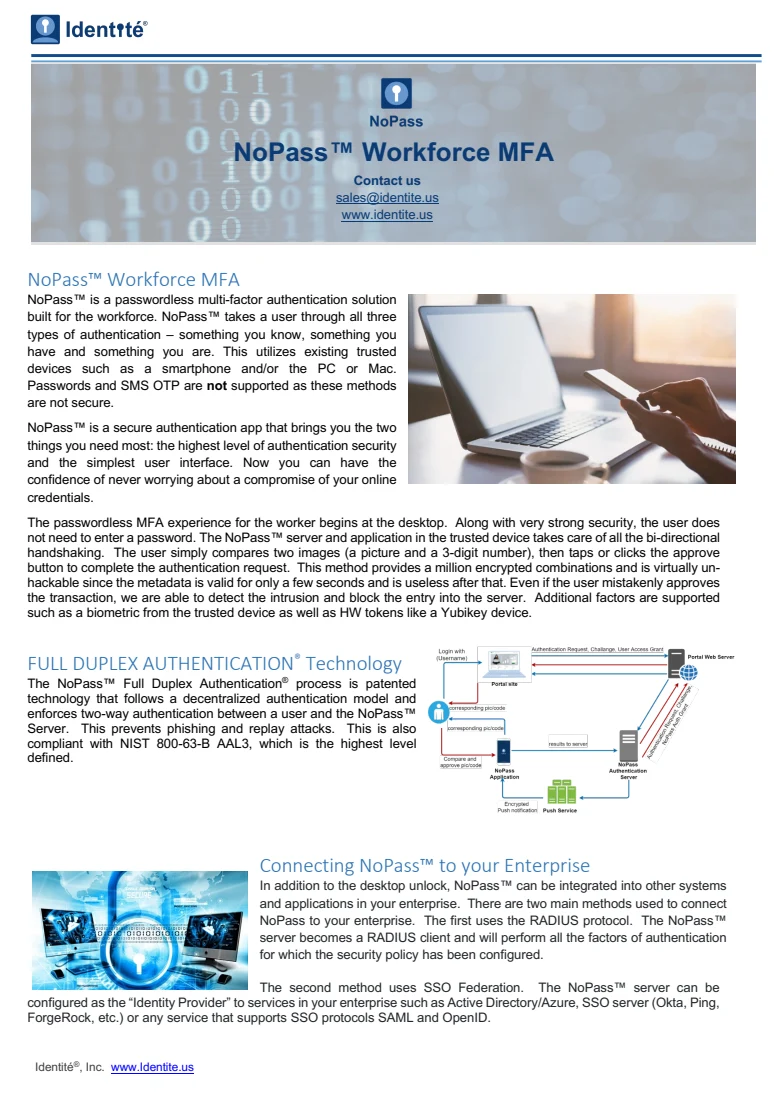
NoPass™ Workforce MFA datasheet
Explore workforce sign-in, enrollment and the NoPass app experience.
Products / NoPass™
Give employees a clear way to authenticate and your team the tools to manage access. NoPass also supports integrated approval requests where an application needs a person’s decision before continuing.
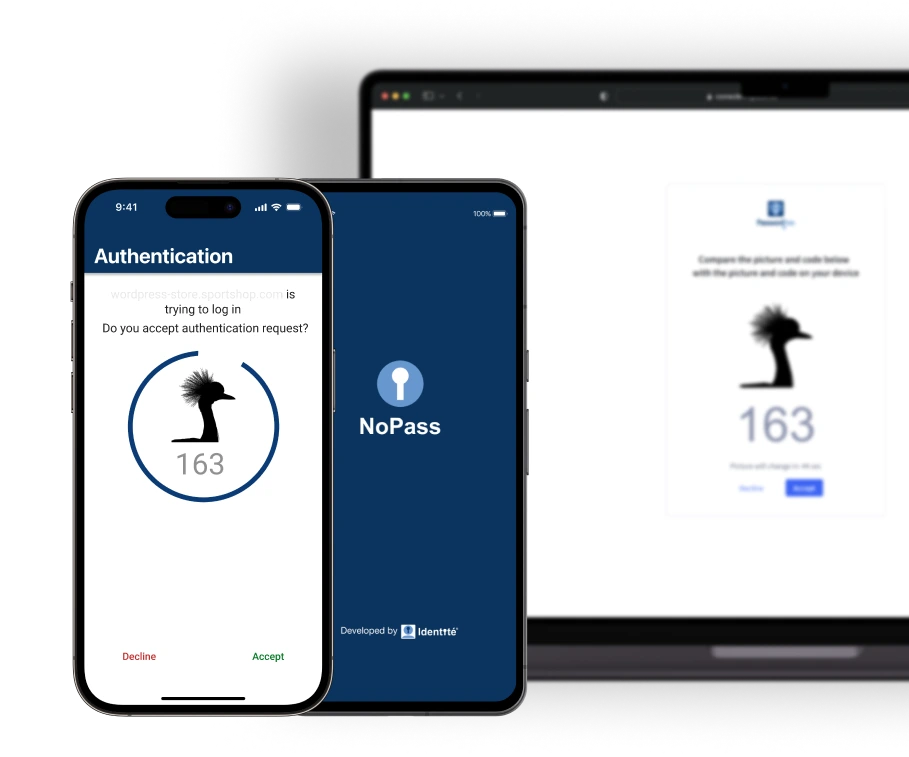
The approval capability also applies beyond the workforce: a bank can ask its customer to confirm a transaction, or an application can ask an owner to approve an AI-agent action.
Full Duplex Authentication® connects this access journey to the enrolled app’s authentication-service relationship. The employee can check the intended request, while the application keeps control of permissions.
| Moment | What changes | Who benefits |
|---|---|---|
| Workforce sign-in | Use an enrolled device and configured local factors to reach an application, gateway or Windows workstation. | Employees and the IT team supporting them. |
| Sensitive-operation approval | Hold an operation until the responsible person confirms the request on their device. | Customers, employees and the system owner. |
The administration console brings users, devices and authentication activity together. Teams can enroll users, manage registered devices, set authentication factors and remove access when a device is lost or an account is no longer needed.
That gives the support team a place to resolve access problems and gives the person using NoPass a defined route back to their work.
Connect the employee, account and approved device through the organization’s enrollment process.
Use the configured application, gateway or Windows access path.
Identify the support owner, revoke a lost device and restore access under the organization’s policy.
Your system chooses the sensitive operation and responsible person. NoPass brings the request to that person’s phone; the application continues according to the approval result.
Privileged-action approval · interactive example
The application sends a NoPass approval request to the person responsible. Start the request in the application.
Open the push notification on the enrolled phone. The application waits while you check the request.
Grant elevated access
Compare the black picture and number. If this is the request you intended, select Confirm on the phone, using the local confirmation configured for your device, such as fingerprint or Face ID.
Compare this picture and number with your phone.
 501
501Do you approve this access request?
501Approval received. The application still applies its own permissions and execution policy before carrying out the operation.
Your approval has been sent.
Try the highlighted button or use the controls below.
NoPass supports configured federation and RADIUS access paths, Windows Desktop Unlock, and application integration. The installed service can run on your infrastructure, including on-premises and private-cloud environments; cloud-service options depend on the product edition.
Keep your application’s business permissions and choose the authentication or approval point where NoPass participates.
Explore workforce sign-in, enrollment and the NoPass app experience.
Define a useful decision before planning a wider rollout. Agree scope, responsibilities and success criteria with the team.
Identify the people, application and access or approval moment.
Map enrollment, account ownership, result handling and recovery.
Observe completion, recovery and support workload against agreed criteria.
Use the findings to decide what to change, expand or stop.
NoPass connects through a configured integration. Start with one application or gateway and the people responsible for enrollment, access policy and recovery.
| Decision | What to establish |
|---|---|
| Access path | Federation, RADIUS or Windows access for the selected environment. |
| Local confirmation | The factors enabled for the enrolled device and the organization’s policy. |
| Day-two ownership | Enrollment, device revocation, recovery, offboarding and escalation. |
NoPass documentation shows how a Keycloak-based SAML integration connects application metadata with a NoPass authentication flow. Confirm the supported server, app and connector versions for your environment before rollout.
For workforce SSO, bring your application and identity-provider requirements to the integration review. Keycloak supports OpenID Connect and SAML; your NoPass review should confirm the adapter, issuer/redirect settings, claims, logout and failure paths for the selected product build.
Setup and compatibility sources: NoPass SAML · Keycloak.