




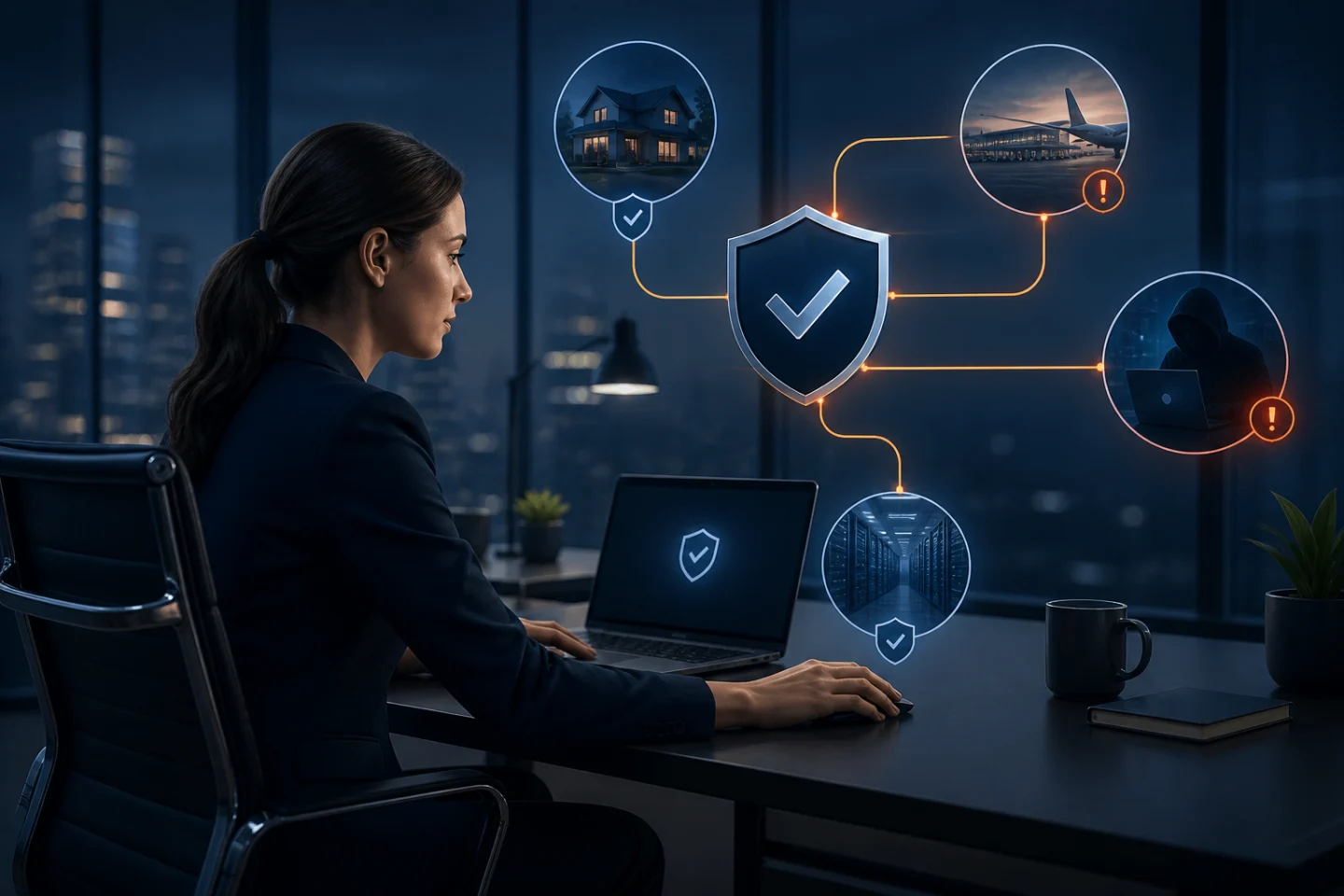
You sit down at your computer in the morning.
Enter your password.
Verify your identity.
Open your email.
Another authentication request.
Open a business application.
Authenticate again.
Connect to a corporate system.
Another prompt.
At some point, even security-conscious employees start asking:
"How many times do I have to prove that I'm me?"
It's a reasonable question.
Multi-Factor Authentication (MFA) dramatically improves security over passwords alone. But poorly configured MFA can also create unnecessary interruptions, frustrate employees, and reduce productivity.
So how often should MFA ask you to verify your identity?
The answer is:
It depends on your organization's security policies, the sensitivity of what you're accessing, your authentication technology, and the circumstances surrounding the login.
There isn't a universal rule requiring MFA every five minutes, every hour, or even every day.
And with modern authentication, there is an even better objective:
Instead of repeatedly challenging trusted users, establish strong trust and intelligently determine when additional verification is actually necessary.
Why Does MFA Ask Me to Authenticate Again?
Traditional MFA generally combines two or more authentication factors.
For example:
Something you know:
A password or PIN.Something you have:
A smartphone, security key, or trusted device.Something you are:
A fingerprint, face, or other biometric.
After successful authentication, the application typically creates a session allowing you to continue working without authenticating for every individual action.
Eventually, however, that session expires—or circumstances change—and the system asks you to authenticate again.
How quickly that happens depends on organizational policy.
There Is No Universal MFA Frequency
One company might require MFA:
Once each workday
Every several hours
When starting a new session
When accessing particularly sensitive applications
When connecting from an unfamiliar device
When connecting from an unusual network
After a defined period of inactivity
When performing a sensitive transaction
Another organization may have completely different requirements.
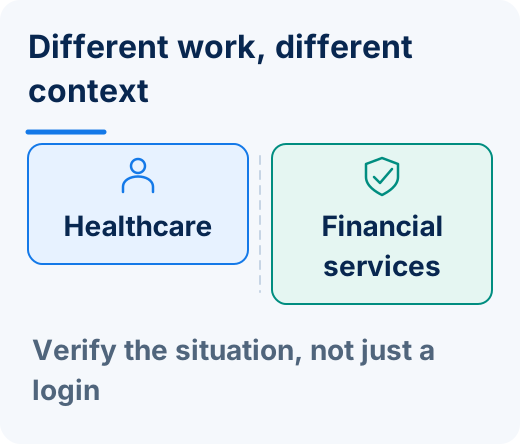
A hospital accessing electronic health records may establish policies differently from a marketing agency using relatively low-risk applications.
A bank protecting financial transactions may require stronger or more frequent authentication than a company protecting an internal employee directory.
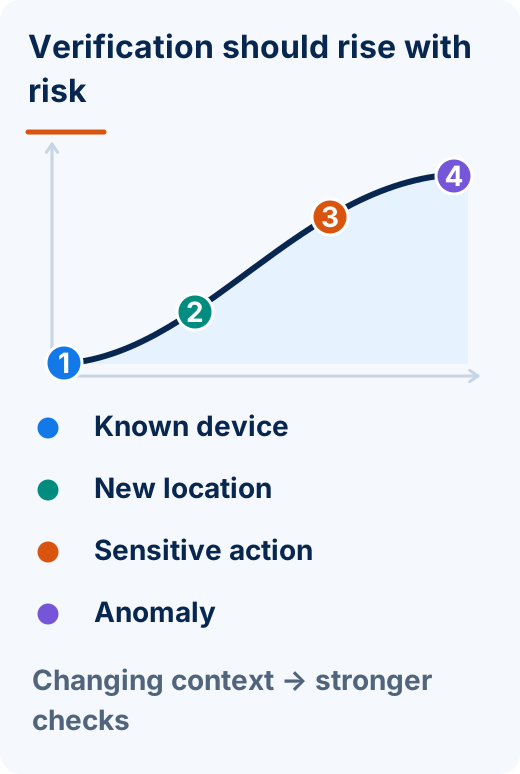
Authentication frequency should reflect risk—not an arbitrary desire to make users authenticate more often.
More MFA Prompts Don't Automatically Mean More Security
This is an important point.
It may seem logical that: More authentication = More security.
But that's not always true.
Imagine requiring an employee to respond to 20 authentication prompts every day.
Initially, the employee carefully examines each one.
After hundreds of prompts, something changes.
Authentication becomes routine.
The employee stops thinking: "Is this authentication request legitimate?"
and starts thinking: "Where is the Approve button?"
That behavioral change can create its own security risk.
Authentication Fatigue Is Real
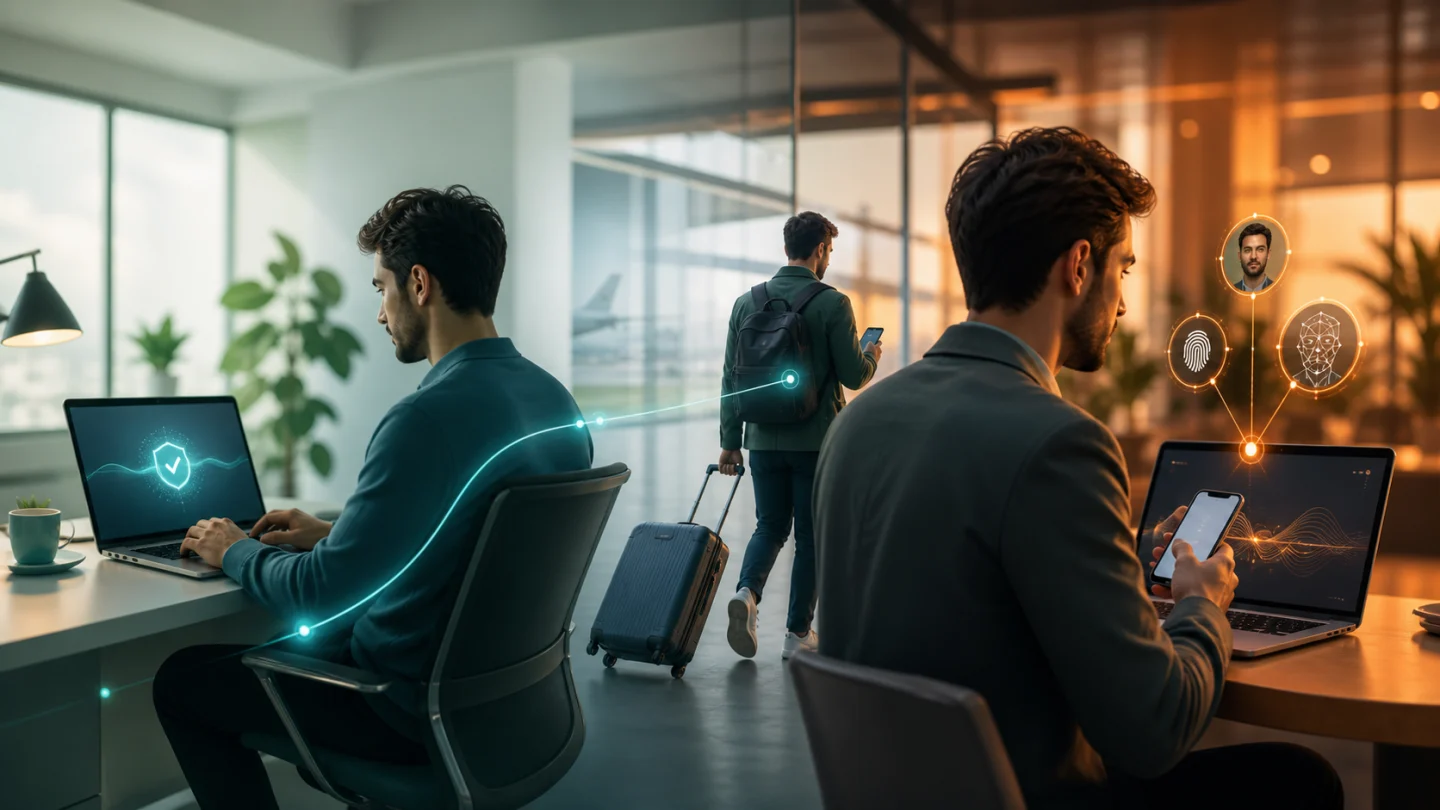
Repeated authentication requests can lead to what is commonly called MFA fatigue.
Attackers have learned to exploit this behavior.
Suppose a criminal obtains an employee's password and repeatedly attempts to log in.
The employee's phone receives:
Approve Login?
The employee denies it.
Another appears.
Then another.
Eventually, the attacker hopes the user will approve one accidentally—or simply because the constant prompts have become annoying.
This type of attack is often called:
MFA fatigue
Push fatigue
MFA bombing
Push bombing
The lesson is important:
Security shouldn't depend on annoying users until authentication becomes automatic behavior.
The Goal Should Be the Right Authentication at the Right Time
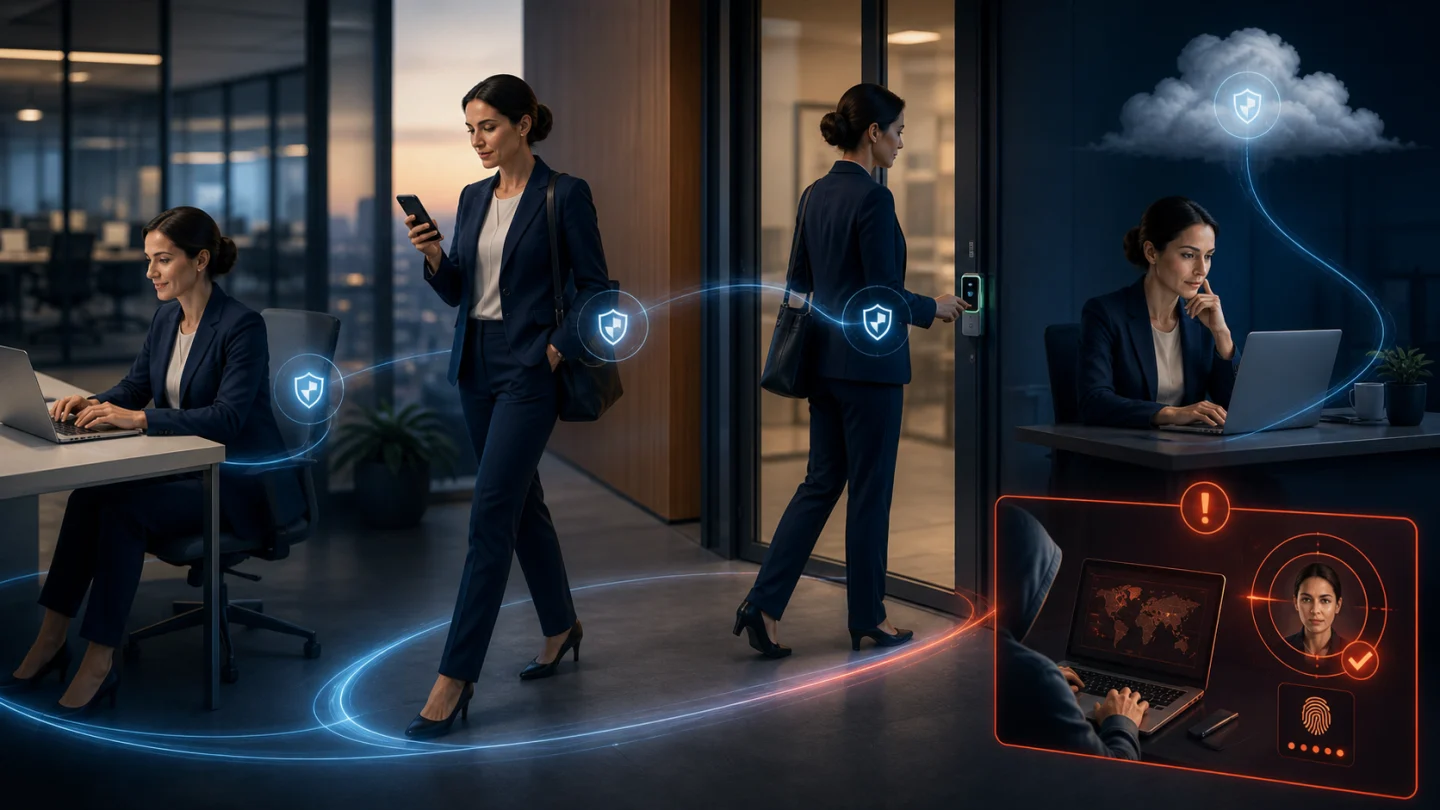
A more intelligent authentication strategy considers context.
For example, imagine an employee who:
Uses the same registered corporate laptop
Authenticates from the usual location
Accesses the same applications
Has already strongly authenticated
Shows no indicators of suspicious activity
Constantly interrupting that employee may provide limited additional security while creating significant friction.
Now imagine the same account suddenly:
Appears on an unfamiliar device
Attempts to access a sensitive administrative system
Exhibits unusual authentication behavior
Requires access to a particularly sensitive resource
That may justify additional verification.
The principle is straightforward:
Authentication should respond to risk rather than simply interrupt users according to the clock.
Session Length Matters
When you authenticate successfully, many systems create a session that remains valid for some period.
Organizations determine how long that session should last based on factors such as:
Application sensitivity
Security requirements
Compliance obligations
Device trust
Network environment
User role
Business requirements
A low-risk application may permit a relatively long session.
A sensitive financial or administrative system may require authentication more frequently.
This isn't necessarily a weakness or inconvenience.
It is part of balancing security with usability.
Some Actions Deserve Additional Verification
There are circumstances where asking an already authenticated user to verify again can make sense.
This is sometimes referred to as step-up authentication.
For example, an organization might require additional verification before:
Changing security settings
Accessing highly sensitive records
Initiating a large financial transaction
Modifying administrative privileges
Viewing particularly sensitive information
Performing other high-risk actions
The user doesn't necessarily need maximum authentication friction for every routine task.
Instead, stronger verification can be applied where the consequences justify it.
Healthcare Is a Perfect Example
Consider a hospital.
Doctors and nurses may need to access systems repeatedly throughout a shift.
Their work can involve:
Electronic health records
Medication systems
Diagnostic applications
Clinical workstations
Administrative systems
Imagine forcing a physician to repeatedly type complex passwords and complete cumbersome MFA challenges while moving between patients.
Security is essential.
But excessive authentication friction can interfere with clinical workflows.
The better objective is:
Strongly establish identity while minimizing unnecessary interruption.
Authentication technology should support healthcare professionals—not become another obstacle between clinicians and patient care.
Financial Institutions Face a Different Challenge
Banks and financial institutions may have very different authentication requirements.
An employee checking an internal informational resource doesn't necessarily present the same risk as someone:
Initiating a wire transfer
Accessing customer financial information
Changing account privileges
Performing administrative actions
The authentication strategy can therefore reflect the sensitivity of the transaction.
Again:
Not every action presents the same risk.
Authentication shouldn't pretend that it does.
The Bigger Question: Why Are We Constantly Challenging the User?
Traditional authentication often begins with an assumption:
Trust must repeatedly be re-established through another user challenge.
That might mean:
Enter another password
Type another SMS code
Open another authenticator app
Approve another push notification
Modern authentication allows us to rethink that relationship.
Instead of continually asking:
"Can the user prove themselves again?"
we can build a stronger authentication relationship involving the user, trusted device, and legitimate destination.
That's where Full Duplex Authentication® becomes important.
What Is Full Duplex Authentication®?
Full Duplex Authentication® (FDA) is the patented authentication technology powering PasswordFree®, Identité's Software-as-a-Service (SaaS) authentication solution, and NoPass™, its PaaS solution that can be installed on premises or deployed in the cloud.
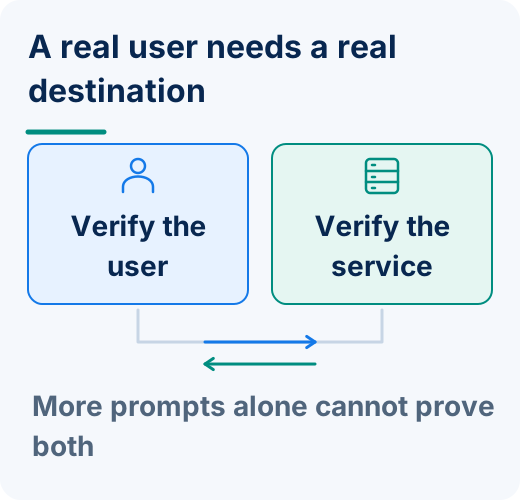
Instead of relying solely on traditional one-way authentication, FDA establishes mutual authentication. The user authenticates to the legitimate application or website, while the application or website must also authenticate itself as legitimate.
Authentication therefore isn't simply about repeatedly asking the user for another credential. Both sides of the authentication relationship must establish trust.
That creates a fundamentally different approach to identity.
FDA Doesn't Just Ask, "Is This the User?"
Traditional authentication primarily focuses on:
"Can this person prove they are authorized?"
Full Duplex Authentication® expands the trust relationship.
The user's authentication method can help establish:
"This is the authorized user."
The trusted device participates in establishing:
"This is the authorized device."
FDA additionally establishes:
"This is the legitimate destination."
This becomes especially important because attackers increasingly use sophisticated phishing and imposter websites.
Why Repeated MFA Prompts Don't Solve the Imposter Website Problem
Imagine receiving an email that appears to come from your employer.
You click the link.
The corporate login page looks perfect.
You enter your password.
Then you complete MFA.
You have now strongly demonstrated that:
You are you.
Unfortunately, you may have demonstrated it to an attacker.
Traditional authentication can place enormous responsibility on the user to determine whether the destination is legitimate.
Full Duplex Authentication® addresses the other side of that relationship.
The destination must authenticate too.
A cybercriminal may be able to copy:
The corporate logo
The website design
The login screen
The colors
The branding
The user experience
But the imposter website cannot successfully perform the legitimate site's side of Full Duplex Authentication®.
The fake site may look legitimate.
It cannot authenticate as legitimate.
Better Authentication Isn't About More Prompts
This distinction is fundamental.
Imagine two authentication strategies.
Strategy A
Ask the user to prove themselves over and over throughout the day.
Strategy B
Strongly establish the user, trusted device, and legitimate destination—and apply additional verification according to organizational security policy and risk.
Which provides the better experience?
More importantly:
Which encourages users to pay attention when an authentication event actually matters?
Security should be strong.
But unnecessary friction isn't automatically security.
What About Biometrics?
Biometrics such as fingerprint and facial recognition can make identity verification significantly more convenient.
Instead of:
Type password → Receive code → Enter code → Continue
the experience can become:
Verify fingerprint or face → Continue
There's nothing to remember.
There's no conventional password to type into a phishing form.
And authentication can happen quickly.
But biometric convenience introduces another important consideration:
Where does the biometric information go?
Your Biometric Data Stays on Your Device
Identité utilizes a decentralized authentication architecture designed so that users' biometric data remains on their trusted devices.
When fingerprint or facial recognition is used as part of authentication, the biometric data does not need to be transmitted to Identité, the employer, or a centralized biometric database for matching.
Your biometric data stays on your device.
That means the organization can benefit from biometric authentication without needing to maintain a centralized repository containing employees' fingerprints or facial biometric information for Identité authentication.
This helps reduce the privacy and concentration risks associated with centralized biometric storage.
After all:
You can change a password.
You can't simply change your fingerprint or face.
Security and Privacy Can Work Together
Identité's approach combines several components of trust.
The biometric can help establish:
"I am the authorized user."
The trusted device participates in establishing:
"This is the authorized device."
Full Duplex Authentication® establishes: "This is the legitimate destination."
And the decentralized architecture provides:
"My biometric data remains on my device."
The result is an authentication model designed around establishing trust—not simply creating more authentication prompts.
What If I Don't Want to Use a Phone?
Authentication shouldn't require every employee to use exactly the same method.
Some employees:
Don't want to use personal phones for work.
Work where smartphones are prohibited.
Prefer physical authentication devices.
Have different accessibility requirements.
Work in highly controlled environments.
Identité is also compatible with supported third-party hardware tokens, including security keys such as YubiKey®.
Organizations can therefore design authentication policies around their actual security and operational requirements.
What Happens If My Phone Is Unavailable?
Reducing authentication friction doesn't help if losing the authentication device suddenly prevents the employee from working.
That's why business continuity needs to be part of authentication architecture.
Phones get:
Lost
Stolen
Broken
Replaced
Forgotten
Left without power
Identité provides mechanisms designed to address those situations.
Emergency PIN Authentication
When permitted by organizational policy, an authorized user can use an Emergency PIN when the primary authentication device is temporarily unavailable.
The Emergency PIN isn't intended to become another everyday password.
It is a controlled continuity mechanism.
The objective is simple:
A forgotten or unavailable phone shouldn't automatically become a lost workday.
Secure Backup & Restore
If the device is permanently lost or replaced, users shouldn't have to rebuild authentication from scratch.
With PasswordFree® and NoPass™, users can securely back up their authentication profile according to organizational configuration to:
Secure cloud storage
The corporate network
When a replacement device becomes available, the authentication profile can be restored.
The restore process can be completed in less than two minutes.
That can mean:
Less employee downtime
Fewer help desk calls
Faster device replacement
Reduced re-enrollment
Greater business continuity
Authentication shouldn't merely work when everything goes right.
It should be designed for what happens when something goes wrong.
PasswordFree® — SaaS Authentication Without Constant Friction
Organizations seeking a cloud-delivered passwordless authentication solution can choose PasswordFree®, Identité's SaaS offering.
PasswordFree® is designed to provide:
Passwordless authentication
Mutual authentication powered by FDA
Decentralized biometric verification
Protection against phishing and imposter websites
Reduced dependence on repetitive MFA challenges
Emergency PIN Authentication
Secure Backup & Restore
Support for compatible third-party authentication options
Reduced password-related help desk workload
The objective isn't making users authenticate more often.
It's making each authentication stronger and the overall experience simpler.
NoPass™ — Enterprise Authentication With Greater Control
Enterprises requiring deeper integration and greater deployment control can choose NoPass™, powered by patented Full Duplex Authentication®.
NoPass™ can be installed on premises or deployed in the cloud and is designed for enterprise environments requiring integration with technologies such as:
Microsoft Active Directory
Microsoft Entra ID
Microsoft 365 / Office 365
Microsoft Azure
For banks and other organizations with strict requirements surrounding sensitive information, an on-premises NoPass™ deployment provides an option for maintaining authentication infrastructure within the organization's controlled environment.
Healthcare organizations, government agencies, financial institutions, and other regulated enterprises can similarly select the deployment architecture appropriate to their security and operational requirements.
So, How Often Should MFA Prompt You?
There's no single correct number.
A thoughtfully designed authentication policy should consider:
Who is authenticating?
What are they accessing?
What device are they using?
Has the user already strongly authenticated?
How sensitive is the application or transaction?
Has anything meaningful changed since the previous authentication?
Are there indicators that additional verification is warranted?
A highly sensitive transaction may justify additional authentication.
A routine activity by a strongly authenticated employee using a trusted device may not need the same level of interruption.
The goal shouldn't be:
Maximum number of authentication prompts.
It should be:
Maximum confidence with minimum unnecessary friction.
The Identité Perspective
When employees ask:
"How often do I need to verify my identity with MFA?"
they're usually asking something slightly different:
"Why does security have to interrupt me so often?"
It shouldn't—at least not unnecessarily.
Traditional MFA improved security by adding authentication factors to passwords.
But modern authentication can go further.
Instead of repeatedly challenging users simply because a timer expired, organizations can build an authentication strategy around stronger identity, trusted devices, appropriate security policies, and mutual trust.
That's the philosophy behind PasswordFree® and NoPass™, powered by patented Full Duplex Authentication®.
The user establishes:
"I am the authorized user."
The trusted device participates in establishing:
"This is the authorized device."
FDA establishes:
"This is the legitimate destination."
And Identité's decentralized biometric architecture ensures:
"My biometric data stays on my device."
Combined with compatible third-party hardware tokens, Emergency PIN Authentication, and Secure Backup & Restore, the result is an authentication environment designed around security, privacy, productivity, and business continuity.
Because the measure of good authentication isn't how many times you can make an employee prove who they are.
It's how confidently you can establish trust—without getting in the way of the work they're trying to do.